

Leelu Soft - Small and handy free Windows utilities and Fixers
Thursday, July 25, 2013

Sunday, July 7, 2013
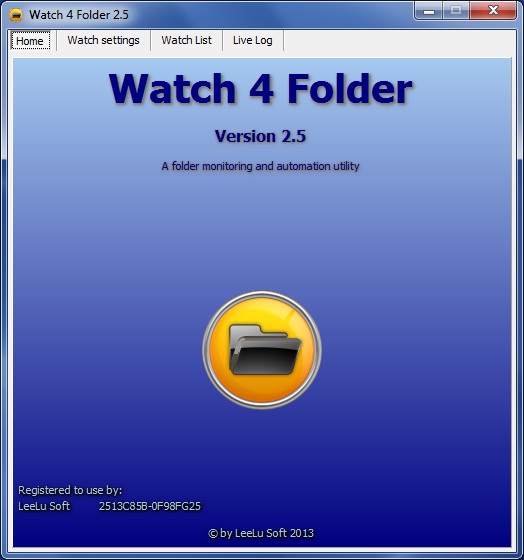
Watch 4 Folder 2.5 - Free Version
Watch 4 Folder 2.5 is a powerful monitoring and automation tool to monitor folders and files activities.
It is a small, portable (registered version only) and simple to use utility.

It can also react for each event with different kind of actions like writing to a log file, display different kind of messages or executing a program, batch or script.
W4F can also return the changed object (file, folder, etc.) as an argument to the executed program batch or script so you can predefine automation process for this object, for example you can monitor a folder for new files and when a new file is created you can print the new file or move the file to a different location, open it with a program you want or any other manipulation you need.
The program maintains a live log that logs every event, action or settings changes.
W4F can run in the background from the system tray and use minimum resources and can auto start with different configurations using command line parameters.
W4F 2.5 versions differences:
• Free version – this version is limited to a single folder monitoring, which means you can monitor only one folder at a time, this version if free to download and use with no other limitations.
The free version is distributed as installation package, after the installation process, the program is portable and can be moved and executed from a different location or different computer.
• Registered version – this version let you monitor up to four folders simultaneously.
The registered version is distributed in a single ZIP archive file without installation, it is portable and can be moved and executed from any location on the same computer, but can't be executed from a different computer (registration is per machine).
Reigtered version price: 4.99USD
Changes from last published version (2.3):
• Most of the code was rewritten
• Can monitor up to four folders simultaneously (registered version only)
• Add the "Wait for file process to finish" option
• Working with arguments in auto event selection only
• Bug fix when trying to use the execute option on massive changes events
• Bug fix missed changes on massive changes events
• Major GUI changes
By LeeLu Soft 2013
Download Watch 4 Folder 2.5.1 Free Portable Version (2.13mb):

Download W4F 2.5 user guide here (PDF format 802kb):
 Get more details, screenshots and registered version ordering instructions:


It is a small, portable (registered version only) and simple to use utility.
Check our new Site, faster, clean design, easy to browse, direct download links and more
Watch 4 Folder 2.5 - a folder monitoring and automation utility that can monitor up to 4 different folders simultaneously for 12 kinds of events and react for each event with different kind of actions.
Watch 4 Folder 2.5 - a folder monitoring and automation utility that can monitor up to 4 different folders simultaneously for 12 kinds of events and react for each event with different kind of actions.
It can also react for each event with different kind of actions like writing to a log file, display different kind of messages or executing a program, batch or script.
W4F can also return the changed object (file, folder, etc.) as an argument to the executed program batch or script so you can predefine automation process for this object, for example you can monitor a folder for new files and when a new file is created you can print the new file or move the file to a different location, open it with a program you want or any other manipulation you need.
The program maintains a live log that logs every event, action or settings changes.
W4F can run in the background from the system tray and use minimum resources and can auto start with different configurations using command line parameters.
W4F 2.5 versions differences:
• Free version – this version is limited to a single folder monitoring, which means you can monitor only one folder at a time, this version if free to download and use with no other limitations.
The free version is distributed as installation package, after the installation process, the program is portable and can be moved and executed from a different location or different computer.
• Registered version – this version let you monitor up to four folders simultaneously.
The registered version is distributed in a single ZIP archive file without installation, it is portable and can be moved and executed from any location on the same computer, but can't be executed from a different computer (registration is per machine).
Reigtered version price: 4.99USD
Changes from last published version (2.3):
• Most of the code was rewritten
• Can monitor up to four folders simultaneously (registered version only)
• Add the "Wait for file process to finish" option
• Working with arguments in auto event selection only
• Bug fix when trying to use the execute option on massive changes events
• Bug fix missed changes on massive changes events
• Major GUI changes
By LeeLu Soft 2013
Download Watch 4 Folder 2.5.1 Free Portable Version (2.13mb):
Download from Softpedia v2.5.1:
Download from Soft82 (5 starts award) v2.5.1:
Download from Programosy:

Download from FileHungry v2.5:
Download from BrotherSoft v2.5:
Wednesday, May 22, 2013
Watch 4 Idle 1.1

Watch 4 Idle version 1.2 is available here now!
Watch 4 Idle is a small utility to monitor your Windows OS for idle time.
You set the target idle time and when the system is idle for that time it can execute different actions.It can also execute different actions when the system resume from idle.
Watch 4 Idle can run minimized from the system tray with a minimal resources usage and can also start automatically with pre-defined settings.
Please read the included readme.txt file for more information.
Changes in version 1.1:
-Bug fixed when trying to set the idel time threshold larger then 999 seconds
-Idle time threshold maximum time is now 99999 seconds
-No need to run as admin
Freeware by LeeLu Soft 2013
Saturday, May 4, 2013
LeeLu Monitors AIO 1.0
LeeLu Monitors AIO version 1.3 is available here now !
LeeLu Monitors AIO is a collection of different LeeLu Soft monitoring tools developed over the years.
When hovering with your mouse cursor over the buttons, a description will appear in the main window.
LeeLu Monitors AIO is a portable application, after the first installation you can copy LMAIO.exe to a different computer or USB drive and run it without the need to install it again.
The installation packag will also extract user guides for all the monitoring tools into the target folder.
And that is not all, each of the monitoring utilities can be extracted as a stand-alone and portable application that you can run from your USB stick or on a different computer.
The installation packag will also extract user guides for all the monitoring tools into the target folder.
And that is not all, each of the monitoring utilities can be extracted as a stand-alone and portable application that you can run from your USB stick or on a different computer.
Monitoring tools included:
Watch 4 Folder 2.3 - the awards winning powerful folder activity monitoring tool
NOFMonitor 1.0 - monitor folders for changes in the files count and execute actons
Watch 4 Idle 1.0 - monitor your computer for idle status, resume from idle and execute actions
Registry Live Watch 1.1 - monitor your registry for changes and execute actions
Clipboard rules 1.0 - monitor clipboard text and execute actions based on pre-defined rules
MemDash 1.0 - never published before this AIO package, display a graphical presentation of the various memory aspects.
Freeware by LeeLu Soft
Tuesday, April 16, 2013
APUSB 47 1.0

Check our new Site, faster, clean design, easy to browse, direct download links and more
This is version 1.0, for UPUSB 47 version 1.2 click here
Since the release of Windows 7, Microsoft doesn't support the AutoRun functionality for non-optical removable media. In other words, AutoRun will still work for CD/DVDs but it will no longer work for USB drives.
APUSB 47 is a small utility that runs minimized in the system tray and brings back the AutoRun functionality for USB drives to your Windows 7 computer.
This is version 1.0, for UPUSB 47 version 1.2 click here
Since the release of Windows 7, Microsoft doesn't support the AutoRun functionality for non-optical removable media. In other words, AutoRun will still work for CD/DVDs but it will no longer work for USB drives.
APUSB 47 is a small utility that runs minimized in the system tray and brings back the AutoRun functionality for USB drives to your Windows 7 computer.
No changes are needed to the USB drive, just using the standard autorun.inf as before.
Note:
This utility is for Windows 7, if you are using Windows XP or lower there is no need for this utility.
Note:
This utility is for Windows 7, if you are using Windows XP or lower there is no need for this utility.
Please read the included Readme.txt for more information.
Friday, April 12, 2013
Sub4Del 1.0


Sub4Del is a small utility (423kb after installation) that adds a new entry to the folder shell menu: "Remove Empty Sub Folders".
When you right click on a folder it let you remove all the empty subfolders (at all levels) inside a folder.Note:
Please read the included Readme.txt for more information.
Freeware by LeeLu Soft
Download Sub4Del portable:

Download from Softpedia:

Download from FileHungry:
Download from ZDNet:

Download from Brothersoft:

Download from FileCluster:

Softpedia Editor Review:

Wednesday, March 27, 2013
Thumbs.db Explorer 1.0

You can preview the images inside a thumbs.db, save all to a destination folder or save only a selected image.
Please read the included readme.txt file for more information.
Freeware by LeeLu Soft
Download Thumbs.db Explorer portable:

Download from Softpedia:

Download from FileHungry:

Download from ZDNet:

Sunday, March 17, 2013
Watch 4 Idle 1.0
Watch 4 Idle version 1.1 is available now Here, follow this link to get version 1.1
Freeware by LeeLu Soft 2013
Friday, February 22, 2013
PSSend 1.0

PSSend is a single hot key combination print-screen and send utility.
It is a very useful utility for help desk and support services, so users can easily send a screenshot to the support team using WinKey+PrintScreen only.The utility is running minimized from the system tray (notification area), your end users just need to press WinKey+PrintScreen, this will take a screenshot, open a new mail (the recipient email address can be pre-defined) and add the screenshot as attachment.
The mail recipient and mail subject can be pre-defined, it can also add to the mail body some basic information about the sender computer.
Freeware by LeeLu Soft 2013
Download PSSend portable:

Download from Softpedia:

Download from Famouswhy:

Download from Myfiledown:

Subscribe to:
Posts (Atom)