Wednesday, March 12, 2014

APUSB 47 1.1

APUSB 47 VERSION 1.2 IS AVAILABLE HERE NOW

This is version 1.1, for version 1.2 click here
Since the release of Windows 7, Microsoft doesn't support the AutoRun functionality for non-optical removable media. In other words, AutoRun will still work for CD/DVDs but it will no longer work for USB drives.
APUSB 47 is a small utility that runs minimized in the system tray and brings back the AutoRun functionality for USB drives to your Windows 7 computer.
No changes are needed to the USB drive, just using the standard autorun.inf as before.

Changes in version 1.1:
-Add support for executing autoruns with arguments in the "open" command.
-Add the option to set APUSB 47 to exit without asking first.

Note:
This utility is for Windows 7, if you are using Windows XP or lower there is no need for this utility.
Please read the included Readme.txt for more information.

Freeware by LeeLu Soft 2014

Friday, February 7, 2014

Watch 4 Idle 1.2


Watch 4 Idle is a small utility to monitor your Windows OS for idle time.
You set the target idle time and when the system is idle for that time it can execute different actions.
It can also execute different actions when the system resume from idle.
Watch 4 Idle can run minimized from the system tray with a minimal resources usage and can also start automatically with pre-defined settings.
Please read the included readme.txt file for more information.

Changes in version 1.1:
-Bug fixed when trying to set the idel time threshold larger then 999 seconds
-Idle time threshold maximum time is now 99999 seconds
-No need to run as admin

Changes in version 1.2:
-Bug fix when trying to execute a program (EXE file) on idle and also on resume, only the first one was executed.

Freeware by LeeLu Soft 2014


Download Watch 4 Idle portable:

Friday, January 3, 2014

InfoFlush 1.0

There are a lot of excellent system information utilities around the internet.
But there are times when you need a quick way to export your system configuration to a text file so you can send it to an expert for further inspection or if you need a quick way to collect the system configuration from a few computers.
This is the right time to draw InfoFlush, only 975kb, portable, small and fast, a must have on every computer or USB drive !.
InfoFlush is a quick way to dump your system configuration to a text file, just one click and your report is ready in a blink.
InfoFlush report includes a huge amount of hardware and software information.
Using InfoFlush is very simple, just execute it (**Run InfoFlush.exe as administrator!!**) and you are ready to use it, one click and your report is ready.

Freeware by LeeLu Soft 2014

Download InfoFlush 1.0 portable:
Download from Softpedia:

Tuesday, November 19, 2013

LeeLu Monitors AIO 1.2

 
LeeLu Monitors AIO is a collection of different LeeLu Soft monitoring tools developed over the years.
When hovering with your mouse cursor over the buttons, a description will appear in the main window.
LeeLu Monitors AIO is a portable application, after the first installation you can copy LMAIO.exe to a different computer or USB drive and run it without the need to install it again.

The installation packag will also extract ReadMe.txt files for all the monitoring tools into the target folder.
And that is not all, each of the monitoring utilities can be extracted as a stand-alone and portable application that you can run from your USB stick or on a different computer.
Monitoring tools included:
Watch 4 Folder 2.5 free - the awards winning powerful folder activity monitoring and automation tool
NOFMonitor 1.0 - monitor folders for changes in the files count and execute actons
Watch 4 Idle 1.1 - monitor your computer for idle status, resume from idle and execute actions
Watch 4 Size 1.0 - Monitor for changes in a folder size and execute actions
Registry Live Watch 1.1 - monitor your registry for changes and execute actions
Clipboard rules 1.0 - monitor clipboard text and execute actions based on pre-defined rules
MemDash 1.0 - never published before this AIO package, display a graphical presentation of the various memory aspects.
Changes in version 1.2:
Watch 4 Folder 2.5 was replaced with version 2.5.1
Watch 4 Size was added to the AIO
Changes in version 1.1:
Watch 4 Folder 2.3 was replaced with Watch 4 Folder 2.5 free.
Watch 4 Idle 1.0 was replaced with Watch 4 Idle 1.1
Freeware by LeeLu Soft 2013

Sunday, October 20, 2013

Watch4Size 1.0

 
Watch 4 Size is a simple to use and powerful monitoring and automation tool to monitor changes in a folder size.
It is a small, portable (after the first installation) and simple to use utility.
Watch 4 Size let you know when the target folders size has reached your pre-defined threshold and can execute actions automatically.
It can be auto-loaded with your pre-defined settings and can run minimized from the system tray (notification area).
For more information please read the included user guide.
Freeware by LeeLu Soft 2013
Download Watch4Size portable:
Download Watch4Size user guide (219kb): 

Download from Softpedia:

Saturday, October 5, 2013

DucoCheck 1.0


DucoCheck is a unique utility that let you add (and remove) any of the following items to the Windows Explorer files context menu (right click on a file):
- Calculate MD5 hash
- Calculate CRC32 checksum
Adding any of this menu items let you right click on a file and get the file's MD5 hash or CRC32 checksum
With any of this new items menu you can get the results in one of two ways:
- as a popup message
- as text in clipboard
For more information please read the included ReadMe.txt file

Freeware by LeeLu Soft 2013

Download DucoCheck portable:
Download from Softpedia:
Download from Soft82:

Monday, August 12, 2013

NameAsDate 1.0


NameAsDate is a unique utility that let you add (and remove) any of the following options to files and folders context menu (right Click):
File Context Menu:
- Rename as current date
- Rename as current date time
- Rename as creation date
- Rename as creation date time
- Rename as modification date
- Rename as modification date time
Folder Context Menu:
- Rename as current date
- Rename as current date time
- Rename as creation date
- Rename as creation date time
- Rename as modification date
- Rename as modification date time

Renaming files will preserve the original file extension name.

NameAsDate has two modes:
Settings Mode:
Running the NAD.exe directly (run as Admin!!!) will open NameAsDate in settings mode, in this mode you can add or remove any of the context menu extensions.
Just check or uncheck any of the options and click Close.
At this point you finished and NameAsDate will be closed.
Setting mode is used only for configuration, and this is the only reason to execute NameAsDate directly.
Working Mode:
In this mode you select a folder or a file directly from Windows Explorer, right click on it and select the context menu item you add, NameAsDate will execute for a blink and will rename your target file or folder to the selected format.

Note:
NAD.exe must be executed as admin so it can edit the context menu! 

OS: Windows XP, Windows Vista, Windows 7 

For more information please read the included ReadMe.txt file

Freeware by LeeLu Soft 2013

Download NameAsDate portable:
Download from Softpedia:
Download from Soft32 Download:
Download from FileHungry:

Thursday, July 25, 2013

LeeLu Monitors AIO 1.1

This is version 1.1, for version 1.3 please refer to our new site HERE

Sunday, July 7, 2013

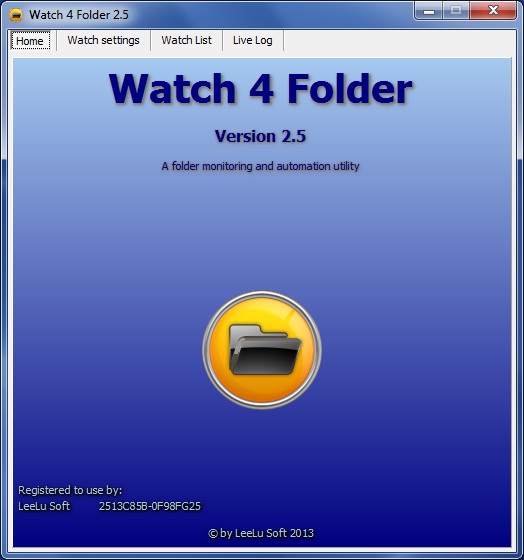
Watch 4 Folder 2.5 - Free Version

Watch 4 Folder 2.5 is a powerful monitoring and automation tool to monitor folders and files activities.
It is a small, portable (registered version only) and simple to use utility.


Check our new Site, faster, clean design, easy to browse, direct download links and more
Watch 4 Folder 2.5 - a folder monitoring and automation utility that can monitor up to 4 different folders simultaneously for 12 kinds of events and react for each event with different kind of actions.

It can also react for each event with different kind of actions like writing to a log file, display different kind of messages or executing a program, batch or script.

W4F can also return the changed object (file, folder, etc.) as an argument to the executed program batch or script so you can predefine automation process for this object, for example you can monitor a folder for new files and when a new file is created you can print the new file or move the file to a different location, open it with a program you want or any other manipulation you need.

The program maintains a live log that logs every event, action or settings changes.
W4F can run in the background from the system tray and use minimum resources and can auto start with different configurations using command line parameters.

W4F 2.5 versions differences:
Free version – this version is limited to a single folder monitoring, which means you can monitor only one folder at a time, this version if free to download and use with no other limitations.
The free version is distributed as installation package, after the installation process, the program is portable and can be moved and executed from a different location or different computer.

Registered version – this version let you monitor up to four folders simultaneously.
The registered version is distributed in a single ZIP archive file without installation, it is portable and can be moved and executed from any location on the same computer, but can't be executed from a different computer (registration is per machine).
Reigtered version price: 4.99USD

Changes from last published version (2.3):
• Most of the code was rewritten
• Can monitor up to four folders simultaneously (registered version only)
• Add the "Wait for file process to finish" option
• Working with arguments in auto event selection only
• Bug fix when trying to use the execute option on massive changes events
• Bug fix missed changes on massive changes events
• Major GUI changes

By LeeLu Soft 2013

Download Watch 4 Folder 2.5.1 Free Portable Version (2.13mb):

Download W4F 2.5 user guide here (PDF format 802kb):
Get more details, screenshots and registered version ordering instructions:

Download from Softpedia v2.5.1:
Download from Soft82 (5 starts award) v2.5.1:
Download from Programosy:

Download from FileHungry v2.5:

Download from BrotherSoft v2.5: