Friday, September 28, 2012

Personal Passwords Generator 1.0

 
Personal Passwords Generator, a free passwords generator.

Small size, fast and simple to use, passwords generator
- Only 1.06 mb
- Portable (after the first installation)
- A single executable
- Simple to use and fast
- 14 Different passwords types
- Custom password type let you set the base characters set
- Passwords can be saved encrypted
- Freeware
From more information please read the included user guide.
  
Freeware by LeeLu Soft 2012
Download PPG installation package (1.7mb):
Download from Softpedia:
Download from Famouswhy:
Deal Bulldog

Saturday, July 21, 2012

Phonetico Toy 1.0

Phonetico Toy is a simple translator between English text, NATO phonetic phrase, Western Union Phonetic phrase and MORSE code.
Just enter a text line in one of those formats and Phonetico Toy will translate it to the other formats.
You can also hear the text results and play the MORSE code.

Phonetico Toy is basically a portable application, you will need to install it once to extract the program from the install package.
After this initial installation, you can copy the executable file (Phonetico.exe) to a different computer or a USB drive and run it without any installation.
Looking for a mobile version ? go to Google Play and download Phonetico Toy for Android.
Please read the included readme.txt file for more information.
Shop Now
Freeware by LeeLu Soft 2012

Download Phonetico Toy (1.4mb):

Friday, July 13, 2012

MRU4Clipboard 1.0


MRU4Clipboard is a clipboard text MRU (most recent used) utility.

It is small, fast and portable (after you installed it once, the executable is portable and can be executed from a USB drive or run it on a different PC).
Main features:
Run minimized in the System tray (notification area).
Up to 20 clipboard text history items.
Up to extra 10 permanent clipboard text items with hotkeys.
Clear clipboard.
Send any history text  to Windows Notepad.
And more.
Check the included user guide for details.

Freeware by LeeLu Soft 2012

Download MRU4Clipboard portable:
Download from FileHungry:
Download from Famouswhy:

Sunday, June 17, 2012

Desktop2Record 1.0


Desktop2Record a free screen recorder.
It is fast, simple and easy to use software to record actions from your desktop into AVI multimedia files.
·         Only 1.1 MB !
·         Portable (after the first installation) and lightweight
·         A single executable
·         Simple to set and use
·         5 Different recording region types
·         Audio recording supported
·         Hot keys for smooth results
And a lot more.
Check the included user guide for detailed information.

Freeware by LeeLu Soft 2012
Download Desktop2Record portable:

Download from FileHungry:

Download from Brothersoft:
Download from Famouswhy:
Download from Medownloads:
 Download from Winportal:
Download from Software Informer:

Friday, May 11, 2012

LeeLuColors 1.0


If you are looking for a great free coloring book for kids, LeeLuColors is exactly what you are looking for.
Easy and simple to use by kids, with 48 sample coloring pages and you can add as many coloring pages as you want.
Please read the included user guide.

Freeware by LeeLu Soft 2012

Download LeeLuColors installation (3.13mb): 
Download from File Hungry:

Friday, April 6, 2012

QRSimple 1.0


QRSimple is a simple freeware utility to generate QR Codes,

QRSimple is a GUI client for Google Charts, therefore you must have an active internet connection to use it.
"QRSimple" is a portable application (after you installed it once, the executable is portable and can be executed from a USB drive or run it on a different PC).

New! How does it works ? click to read developer description on how QRSimple works (new window)
Freeware by LeeLu Sfot 2012
Download QRSimple 1.0 portable:

Friday, March 23, 2012

Tray Cleaner 2.0


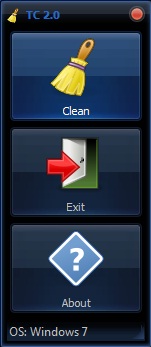
"Tray Cleaner 2.0" is a simple freeware utility to clean past items for the system tray (notification area) even if they are not visible.
"Tray Cleaner 2.0" is a portable application (after you installed it once the executable is portable and can be executed from a USB drive or on a different PC).

Changes in version 2.0:
-Single executable for Win7 and WinXP
-No more false positive alert from some antivirus software (at least for those tested it with)
-Auto backup of the tray settings so it can be restored quickly!
-New skinned interface

"Tray Cleaner 2.0" is competible with Windows 7 and Windows XP.

New! How does it works ? click to read developer description on how Tray Cleaner works (new window)
Freeware by LeeLu Soft 2012
Download "Tray Cleaner 2.0" portable:

Tuesday, February 28, 2012

7 Quick Fix 2.0


Version 2.0 of the awards winning utility "7 Quick Fix" is available now.

It is the ultimate Swiss army knife for Windows 7 users and professionals.
"7 Quick Fix 2.0" a click and fix utility that can fix 108 common Windows 7 errors, problems and tweaks.
There are a lot of excellent Windows comprehensive repairing and fixing tools around the internet.
But there are times when you want just one quick fix for example when you are under a virus attack and you just want to enable the Task Manager or the Registry Editor so you can fight the virus back, or when some new installation changed your Windows 7 behavior and you want to restore it.
This is the right time to draw 7 Quick Fix with 108 common Windows 7 fixes, only 1.1MB, portable, small and fast, a must have on every computer or USB drive !

7 Quick fix is the simple and safe way to fix registry errors, system problems and fix file extension errors

 Main Features:
- 108 fixes
- Only 1.1MB
- Portable, can run from a USB drive or stick
- Each fix is applied with a single mouse click
- Auto saving the changed settings for a quick rollback
- On screen information for every fix
- Fixes are divided into 6 categories (Enable / Disable, Restore missing stuff, Performance, Errors and Crashes, Tweaks, Files Association)
- No scanning or other resource consuming process, just execute and click.

A must have on every Windows 7 based computer, when the time comes, you will not regret this 1.1MB on your drive!
If you are looking for the Windows XP version, click here to jump to XP Quick Fix Plus Post
Freeware by LeeLu Soft 2012

New! How does it works ? click to read developer description on how 7 Quick Fix works (new window)

Download a portable version of 7 Quick fix from our new site, CLICK HERE

Download "7 Quick Fix 2.0" Portable:
Download "7 Quick Fix 2.0" portable:


Download from FileHungry:
Download from NONAGS:

Download from Sfotware Informer:
Software.Informer Editor's pick award
"7 Quick Fix" Anti Virus reports as clean software by:
SOFTPEDIA:
SOFT82:
Softoxi:
http://www.softoxi.com/7-quick-fix.html (Look at the AV report).
FreewareFiles:
NONAGS (tested with 3 AV and 2 Anti-Malware):

Thursday, February 9, 2012

Order in my Folder 1.3


"Order in my Folder" is a unique free utility to archive / reorder files from a single folder into subfolders based on different file sorting logics.
Version 1.3 includes both the GUI version (OimFG.exe) and the Command Line version (Oimf.exe) of "Order in my Folder", the executable files can be found inside the installation folder.
How can "Order in my Folder" help you?
If you have a folder containing a large amount of files, created by a logging system, or acting as some kind of a drop box or maybe just a folder with a lot of pictures or other files and you think it's time to do some order in this folder.
With "Order in my Folder" this kind of reorder can be done easily, just define the appropriate file sorting logic and rules and it will do the work for you.
"Order in my Folder" will not move any folders, it will handle files only.
"Order in my Folder" can sort the files in the target folder and move them into subfolders based on one of eight available file sorting logics.
You can do for example a file sorting by modification dates, "Order in my Folder" will scan the target folder and move each file into a subfolder named as the file's modification date.
So all files from 7-8-2010 will be moved into a subfolder named 7-8-2010 and all files from 5-10-2011 will be moved into subfolder named 5-10-2011, etc.
You can do the same kind of order but based on month-year file sorting, so all files that was modified at 9-2010 it will be moved into a sub folder named 9-2010, and all files from 7-2011 will be moved into a subfolder named 7-2011, etc.
It is possible to do the file sorting by year only, so all files from 2010 will be moved into subfolder named 2010 and all files from 2011 will be moved into a subfolder named 2011, etc.
This file sorting types can be by modification dates or by creation dates, be sure you understand the differences between them before you are selecting the file sorting type, some more info about dates can be found in the included help and readme.txt files.
And that's not all, "Order in my Folder" can also do this file sorting by file types, so all exe files will be moved into a subfolder named exe and all txt files will be moved into subfolder named txt, etc.
The last method to do the file sorting is by the first character of files, which means all file names starting with "a" will be moved into a subfolder named "a" and all file names starting with "b" will be moved into a subfolder named "b", etc.
The file sorting process can be applied with wildcards (*.*, *.jpg, *.log, etc.) and can be applied only on files older than X days.
You can use the Command line version to execute it from a batch file or a script or you can do it directly from the GUI version which can be added to the Windows Folder Context Menu (right click on a folder).
Please read the included help or readme.txt files for more important information.
Watch Tekzilla vidoe about "Order in my Folder" (new window to Youtube)
Based on idea by Elliot Morshead.

Freeware by LeeLu Soft 2012

How does it works ?  (new window)

Download "Order in my Folder" portable: